Device Specifications
User-facing spec sheet for the UWB anchor board. Pinout, timing, and protocol-level details live in a separate engineering document.
| Assembled | Bare PCB |
|---|---|
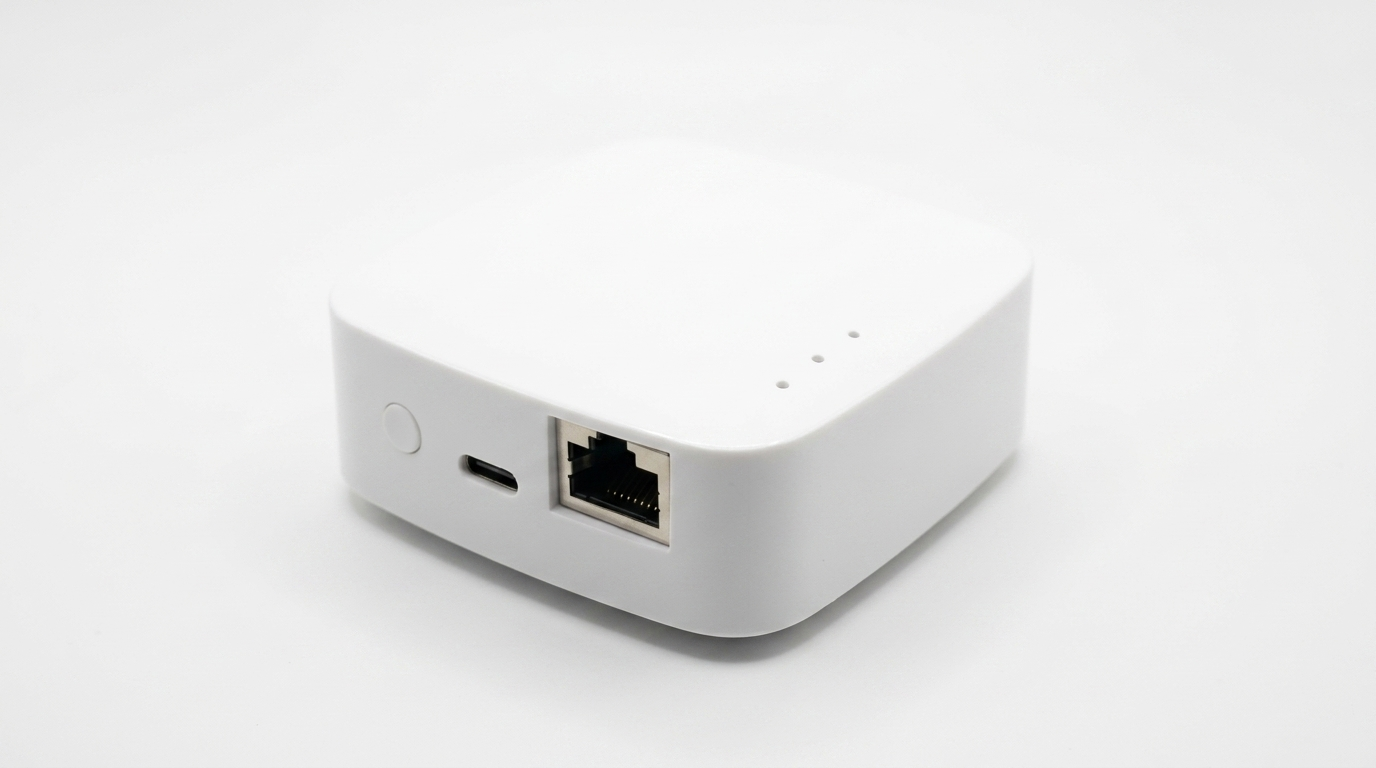 |
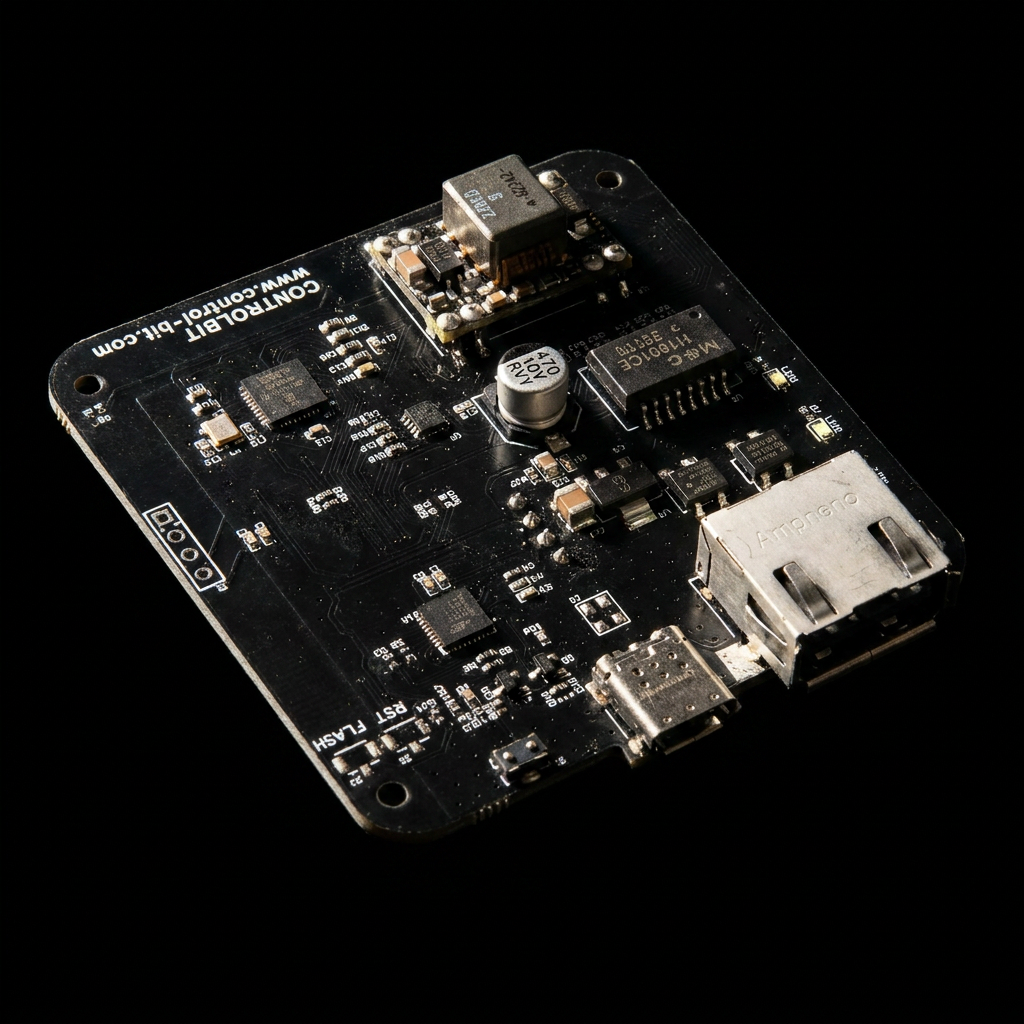 |
| Case + bracket included | LAN chip / OLED / DIP location visible |
📷 [image placeholder] Optional shot of the retail box / labels. Filename:
assets/spec_package.png
1. Positioning Performance
| Item | Value |
|---|---|
| Method | UWB two-way ranging + multi-anchor trilateration |
| Position accuracy | 10–30 cm with 4+ anchors and clear line-of-sight |
| Anchor ↔ tag range | tens of metres with line-of-sight |
| Update rate | about 1 Hz (tunable) |
| Concurrent tags | up to 64 |
| UWB modes | 6.8 Mbps (default, short-range high-precision) / 850 kbps (long range) |
Accuracy and reach depend on anchor placement, walls / metal structures, and multipath.
2. Mechanical
| Item | Value |
|---|---|
| PCB size | (TBD — measured value with case to follow) |
| Weight | (TBD) |
| Case material | Plastic |
| Mounting | Rear bracket (ceiling / wall) |
| Indicator | OLED display (role / status / IP) |
| User input | 10-position DIP switch + 1 configuration button |
📷 [image placeholder] Photo with a tape measure showing PCB and case dimensions. Filename:
assets/spec_dimensions.png
3. Power
| Item | Value |
|---|---|
| Input connector | USB-C |
| Input voltage | DC 5 V |
| Recommended supply | 5 V / ≥ 1 A |
| Core voltage | 3.3 V (on-board LDO) |
| Protection | Reverse-polarity / over-current (board-level) |
Peak draw at boot is several hundred mA; steady-state operation is typically 100–200 mA, with brief peaks during UWB TX.
4. Wireless / Network
| Interface | Spec |
|---|---|
| UWB | DW3000-based, channel 5 (6.5 GHz) by default |
| Wi-Fi | 2.4 GHz b/g/n. STA (internet, OTA, MQTT) + AP (setup mode) |
| Wired LAN (optional) | 10BASE-T over RJ45 (MagJack); enabled when DIP SW8 = ON |
| MQTT | Publishes to an external broker (auth optional; private broker recommended) |
Production data path can be wired LAN or Wi-Fi depending on configuration. Firmware OTA always uses Wi-Fi (HTTPS download).
5. I/O
| Item | Value |
|---|---|
| Display | OLED 128 × 64 monochrome |
| User input | DIP switch (10) + 1 configuration button |
| PC link | USB-C (CDC serial, for configuration / debugging) |
| External network | RJ45 (optional), built-in Wi-Fi antenna |
| Buzzer / LED | None (status shown on OLED + serial) |
📷 [image placeholder] Photo with arrows pointing to USB-C, RJ45, OLED, DIP, and the config button. Filename:
assets/spec_io_callout.png
6. Operating Environment
| Item | Value |
|---|---|
| Operating temperature | 0 to 40 °C (indoor use recommended) |
| Storage temperature | -20 to 60 °C |
| Humidity | 10 – 80 % RH, non-condensing |
| Installation | Indoor only. Avoid direct sunlight, high temperature, and moisture. |
7. In the Box
- Anchor board (assembled with case)
- Rear bracket
- USB-C adapter (model-dependent / optional)
- Quick-start sheet
📷 [image placeholder] Box-contents shot with each item laid out. Filename:
assets/spec_box_contents.png
8. Operation / Maintenance
| Item | Value |
|---|---|
| Configuration | Wi-Fi AP + web form, or USB serial menu. See Detailed Setup. |
| Firmware update | OTA via Wi-Fi. See Detailed Setup. |
| ID assignment | DIP switch sets anchor ID 0–63. See DIP Switch Reference. |
| Diagnostics | OLED + USB serial log |
| Factory reset | (procedure to follow) |
9. Compliance / Certification
(Official certificates to follow.)
| Item | Value |
|---|---|
| Radio certification | (TBD) |
| RoHS | (TBD) |
| Operating bands | UWB 6.5 GHz / Wi-Fi 2.4 GHz |